
Skip to content
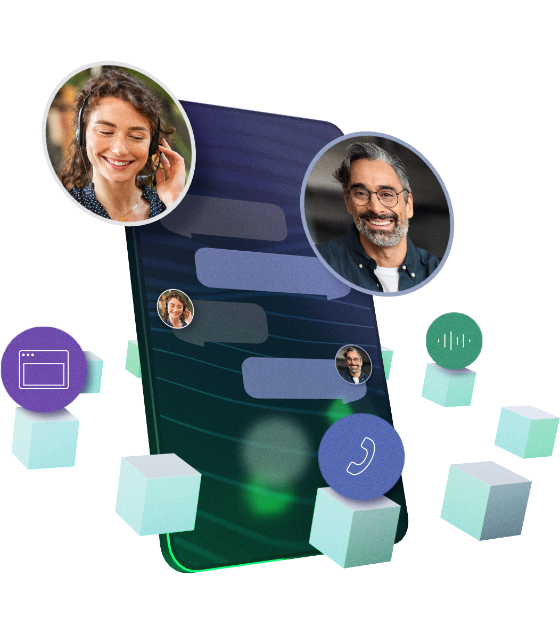
3D Illustration of a phone with cubes representing different channels floating around it

See where Seamly fits in your stack

Seamly sits between telephony and your application. It sets up the call, maintains the real-time connection and handles the voice processing you choose to delegate. Your application remains responsible for what happens in the conversation.

What Seamly handles during a live call
A lineart globe connected to a phone outline with a dotted line

Call setup

When a call arrives, Seamly sends a signed HTTP request to your application with information about the call. Your application specifies the secure WebSocket URL and whether to exchange text or audio for that conversation.
A lineart cloud with arrows going in and out of it

Real-time connection

Seamly opens a secure WebSocket connection for the call. Your application exchanges text or audio with Seamly, depending on the selected mode.
A line art drawing of two speechbubbles, one having text and one a waveform

Media handling

With Text-to-voice, your application exchanges conversation content as text while Seamly handles the speech layer between your application and the caller. With Voice-to-voice, your application exchanges audio directly with Seamly.
A lineart heartmonitor showing a pulse

Conversation events

Your application receives the events it needs to respond to the call, including caller input, DTMF, interruptions, hangup and errors.

Control how the conversation behaves

Text-to-voice provides more than the conversion between speech and text. You can configure how Seamly handles the caller throughout the conversation.

A group of lineart conversation bubbles overlapping

Stream responses as they are generated

Send a response in multiple parts so callers can hear the response before your application has generated the complete answer.
A lineart conversation bubble with audio waves going over it

Handle interruptions with barge-in

Allow callers to interrupt selected responses. Seamly reports how much of the message was played, so your application can continue from the correct point.
A line art phone with audio lines next to it

Adapt language and speech

Set the language and voice for a conversation, adjust the speaking rate and optionally detect the caller’s language from a configured set.
Product — Waiting & silence

Manage waiting and silence

Use filler audio while your application is processing and configure how periods of caller silence are handled.
Two lineart cards overlapping, one containing a cube, the other a sphere.

Pass context into the call

Pass information such as customer identifiers, routing decisions or CRM results during call setup, and receive it in the initial WebSocket event.

Provision Seamly from your own product

If voice is part of your product, you don’t have to manage every customer or project manually. The Management API lets your backend create and manage Seamly resources as part of your own onboarding and provisioning flows.

This way, you can:

  • Create and manage organisations and projects
  • Configure Voice API endpoints and shared secrets
  • Manage compliance addresses
  • Assign telephone numbers to projects and release them again

Server-to-server authentication keeps these operations inside your backend.
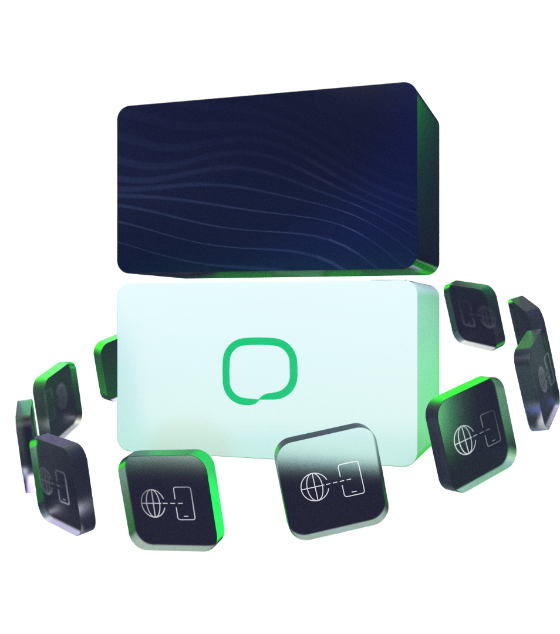
A 3d illustration of two blocks, with glass panels floating around them.
Background 3

Bring conversation data into your own data stack

Use the Analytics API to retrieve call metrics for your own reporting, analysis or operational workflows.

Query data for a selected timeframe and stream the results in NDJSON format, so your systems can process larger datasets without loading the entire response into memory.


A 3D rendering of a loop with a white block on one side and a glassy blue on the other
Background 2

Product releases

We’re expanding the Voice API with more ways to manage what happens during a call.

For current functionality, event schemas and release changes, use the developer documentation as the source of truth.
A 3D illustration of a white block with the Seamly logo in the middle, surrounded by panels with icons depicting various features.
Background 3

Seamly Voice API FAQs

What is the Seamly Voice API?

The Seamly Voice API connects your application to telephone calls. Seamly handles the telephony connection and real-time exchange with the caller, while your application controls the conversation logic.

What is the difference between Text-to-voice and Voice-to-voice, and which one should I use?

Use Text-to-voice when your application exchanges conversation content as text. Seamly handles STT, TTS and voice interaction. Use Voice-to-voice when your application already processes real-time audio. Seamly then transports bidirectional audio between the caller and your application.

Can I use my own AI agent or LLM with Seamly?

Yes. Your AI, conversation logic and backend integrations remain in your own application. Seamly provides the telephony layer around them. This lets you use the models and technology that fit your product without moving your application logic into the Seamly platform.

What do I need to integrate my application with the Seamly Voice API?

Your application needs an HTTPS endpoint for call setup and a secure WebSocket endpoint for the real-time conversation. It also needs to validate Seamly’s signed HTTP requests and handle the WebSocket events for your chosen exchange mode. The developer documentation provides the full schemas and event sequences.

How does Seamly Voice API pricing work?

Seamly uses predictable pay-as-you-go pricing without licence or setup fees. Voice usage, Analytics API access and call recordings are covered within the pricing model. Telephone numbers are charged separately. LLM costs remain outside Seamly, so you keep control of the models and providers you use.

Where is Seamly hosted, and how does it support an EU sovereignty strategy?

Seamly operates from the EU and hosts its services in the EU. This gives organisations pursuing an EU-first technology strategy more control over where their voice infrastructure and data are handled. Seamly is continuing to develop its infrastructure towards greater European digital sovereignty.

Which languages and voices can I use with Text-to-voice?

Text-to-voice uses a configured language for STT and TTS and supports voices hosted in the EU through ElevenLabs. You can also enable language detection across a configured set of languages.

What Voice AI features does Seamly have?

Seamly supports the voice interaction layer around your application. With Text-to-voice, this includes STT, TTS, streaming responses, barge-in, language detection, filler audio and silence handling. With Voice-to-voice, Seamly transports bidirectional audio while your application handles the voice processing and conversation logic.

How does Seamly secure connections between the Voice API and my application?

Call setup uses HTTPS and signed requests that your application validates using the X-Seamly-Signature header. Real-time conversation data is exchanged through a secure WebSocket connection. Seamly also documents recommended validation and credential-handling practices for securing your integration.

Want to see how Seamly works with your application?

Create an account to explore the platform yourself, or get in touch if you want to discuss your setup first.

A female callcenter operator wearing a headset smiling at a screen